Getting Started with Campaign Multipliers
Modified on: 2021-12-08 13:54
As part of our design update, the screenshots are currently being revised.
Introduction
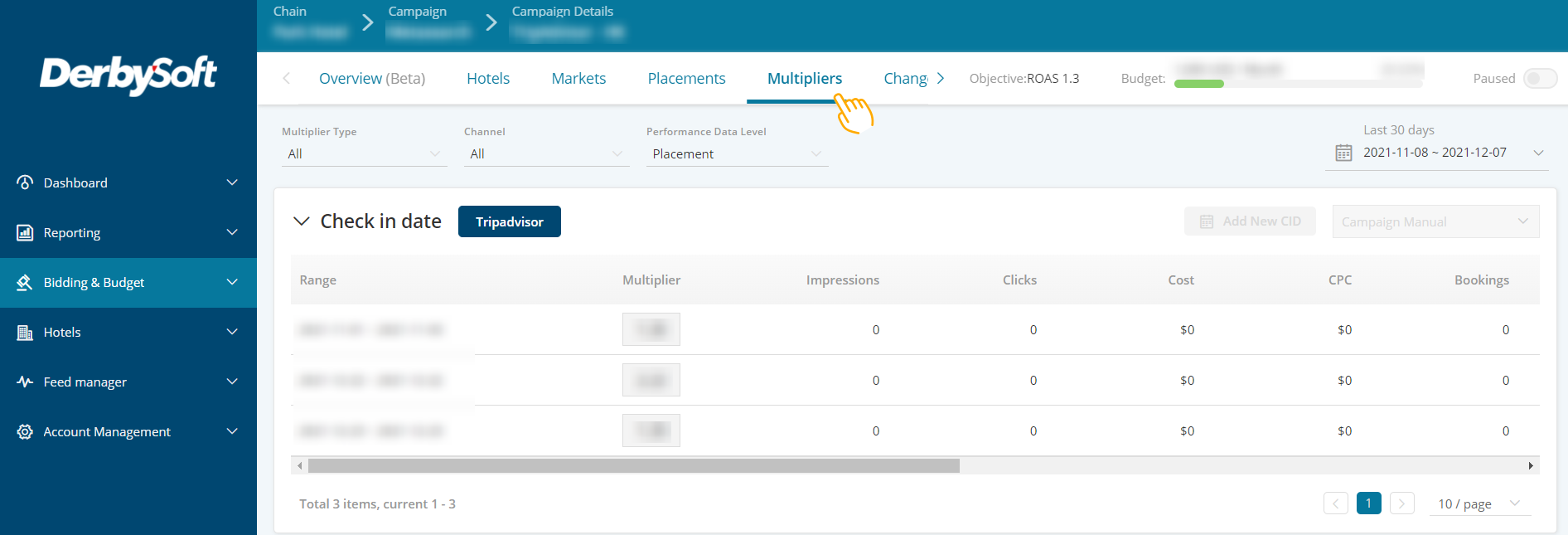
Campaign Multipliers are available on all Metasearch campaigns which utilize the DerbySoft Algorithm for optimization. They provide you the ability to view the performance of all multipliers applied to a campaign, split by channel and multiplier type. Where technically possible, you also have the ability to toggle manual control of particular channel multipliers to fine-tune optimization to your preferences.
How does it work?
Campaign Multipliers can be found by clicking on the campaign name from the Campaign List page. Within a Campaign, on the campaign sub-menu, a Multipliers tab will be visible.
Goals of Using this feature
- Provide you visibility of all multipliers active on a particular campaign.
- Allow you to view the current bid multiplier set, split by channel, type, and bucket.
- Understand performance by the multiplier.
- Allow you to switch to manual optimisation where necessary.
- Simplify the optimisation process as far as possible by bringing together the bid & key guiding performance metrics/algorithm recommendations into one view.
Did you find it helpful? Yes No
Send feedbackSorry we couldn't be helpful. Help us improve this article with your feedback.